
The Help & Support section provides direct access to essential documentation, guides, and certifications — and is the same for all user roles.
📘 Main Panels
When you open this section, you’ll see three main support modules:
-
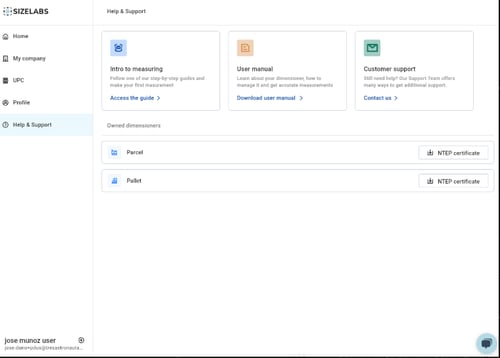
Intro to Measuring
-
A step-by-step visual guide to help you understand how to set up and use dimensioners correctly.
-
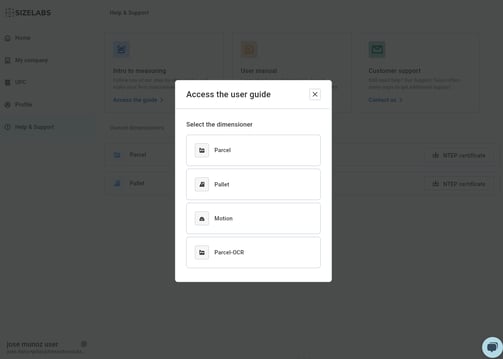
Includes examples for Parcel, Pallet, Motion, and a specific layout for Parcel-OCR.
-
-
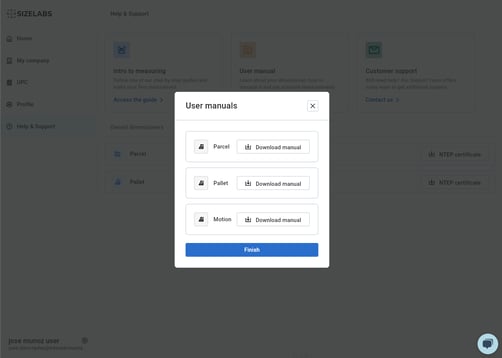
User Manual
-
Allows you to download the official PDF manual for each type of dimensioner: Parcel, Pallet, and Motion.
-
-
Customer Support
-
Direct access to contact information to get additional assistance.
-
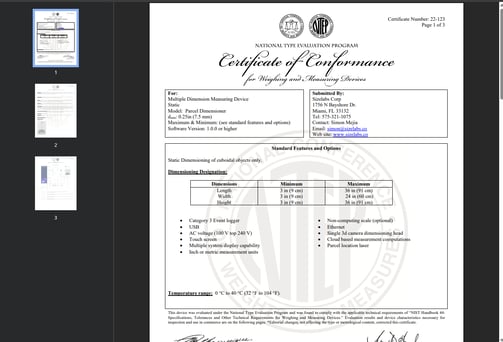
🏷 NTEP Certification Downloads
Below the guide cards, you’ll find expandable sections for:
-
Parcel
-
Pallet
Each section includes a button to download the official NTEP certificate.
📚 Intro to Measuring Guide Content
Clicking Access the guide on the Intro to Measuring card leads to a visual guide broken into multiple illustrated steps:
-
Sensor and Component Overview
-
Leveling the Cameras
-
Avoiding Field-of-View Interference
-
Clear Scale Area (Parcel)
-
Clearing Scale Interference (Parcel)
-
Conveyor Setup (Motion)
-
Sensor Alignment for Motion Devices
🔍 Tip: Review this section before requesting support to speed up diagnosis and avoid unnecessary interventions.