Account users can view, create, and manage both administrators and operators from this section.
📋 Users Overview
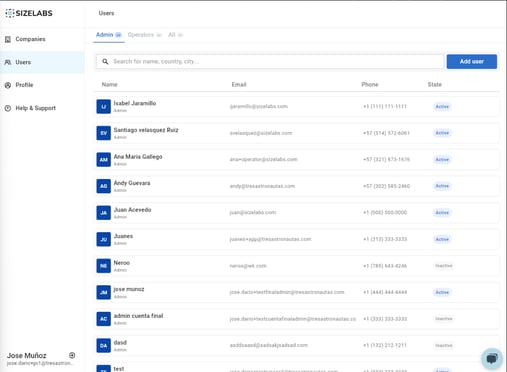
In the Users section, you can:
-
See all users created under your account.
-
Filter by Administrator, Operator, or All.
-
Use the search bar to locate a specific user by name or contact info.
➕ Add New User
Click the Add User button to open the registration form.
There are two user types you can create:
-
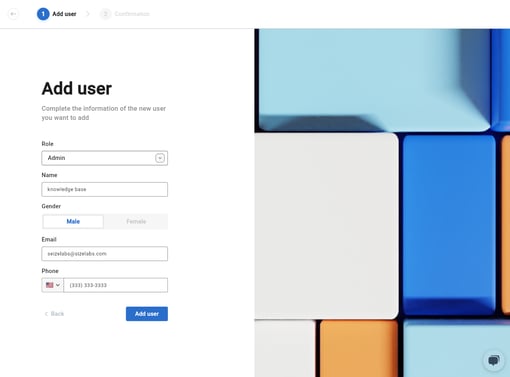
Administrator
-
Has full access to all the companies created under the current account.
-
Can manage users, companies, and dimensioners.
-
-
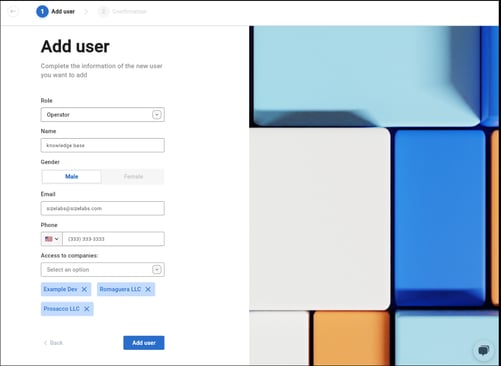
Operator
-
A field technician with access to specific companies within the account.
-
During creation, you must assign the companies this operator should support.
-
🔍 User Detail View
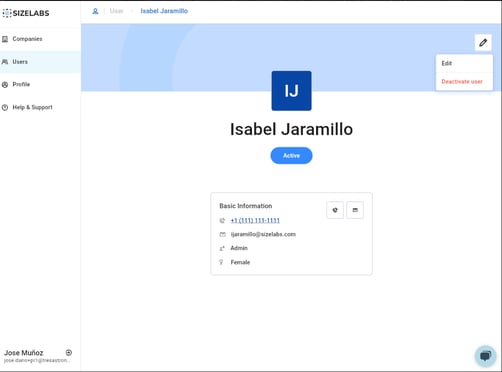
Clicking on a user entry opens their profile panel. From there, you can:
-
View their role and assigned companies.
-
Edit basic information (name, Gender, phone).
-
Activate or deactivate the user.